
 Worksheets
Computing Systems Devices
Total questions: 78
Worksheet time: 51mins
Which of the following is not a computing device?

Laptop

Smartphone

Book

Desktop

What do we use a mouse for?
To eat cheese
To move the pointer on the screen
To take photos
To print papers
Which device helps you to see what is on the computer?

Keyboard

Printer

Speaker

Monitor
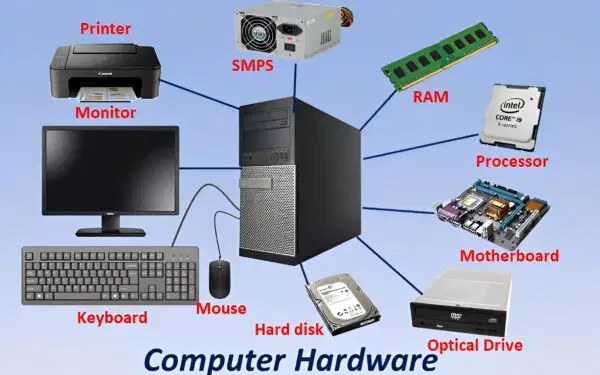
physical parts you can touch such as screens and keys
device
software
hardware
network

programs that give instructions such as the chrome web browser
devices
software
hardware
internet

following steps to fix a problem
hardware
troubleshoot
password
internet
mouse


headphones


monitor


laptop


tablet
touchpad

keyboard


Which type of computing device is shown in the picture?
Desktop Computer
Laptop
Tablet
Smartphone

Which type of computing device is shown in the picture?
Desktop Computer
Laptop
Tablet
Smartphone

Which type of computing device is shown in the picture?
Desktop Computer
Laptop
Tablet
Smartphone

What is the name of the computer hardware in the picture?
Fax Machine
Photo
Printer

What is the name of the computer hardware in the picture?
Headset
Earbuds
Speakers
Headphones
Which computing device can we use by TOUCHING the screen?


Which computing device needs ELECTRICITY always?


Which computing device is PORTABLE?


Which computing device has a big touch screen?


Which computing device can be used to take photos and make videos?


Which 2 devices use a touchscreen?


The device that is used in homes, schools and work is:
(a)
Keyboard is
Software
Hardware
Microsoft Word
Hardware
Software

What is my name ?
Robot
Super Computer
Smart Phone
Laptop
Microsoft Word
Hardware
Software


Is it an input or output device?
Input
Output
Input and Output
I don't know
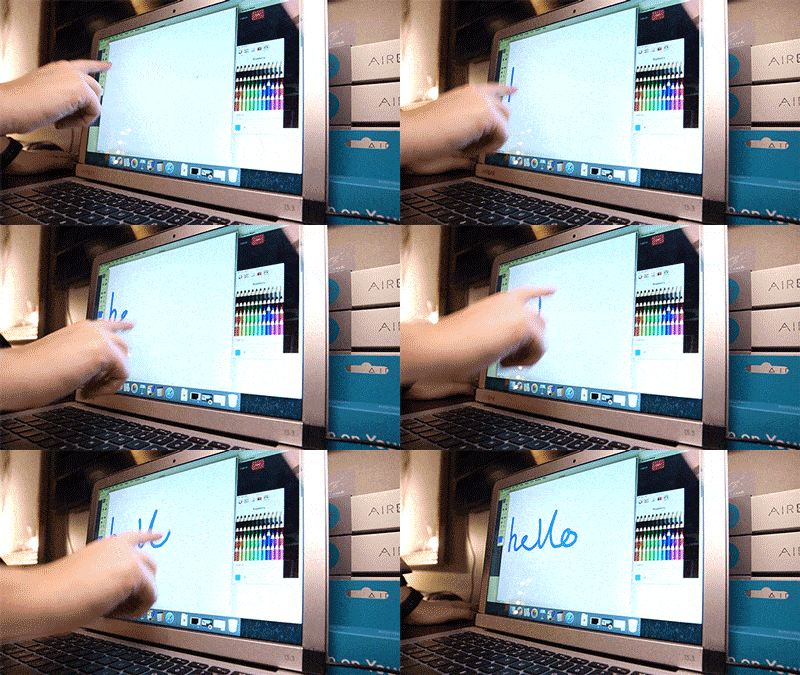
Is it an input or output device?
Input
Output
Input and Output
I don't know

Is it an input or output device?
Input
Output
Input and Output
I don't know

Is it an input or output device?
Input
Output
Input and Output
I don't know

Is it an input or output device?
Input
Output
Input and output
I don't know

Is it an input or output device?
Input
Output
Input and output
I don't know

Is it an input or output device?
Input
Output
Input and output
I don't know
Which of these is NOT an example of an output device?


An example of a system is a...
Rock
Green
Happy
Car
A group of parts that work together is a...
Solar
Digital
System
Panel
An example of a digital system is...
A guitar
A fan
A bike
An iPad
Click 3 items that are examples of a peripheral device...
Keyboard
The CPU
Screen
Printer

A _______ is an electronic device that manipulates information, or data.
Software
Hardware
Keyboard
Computer
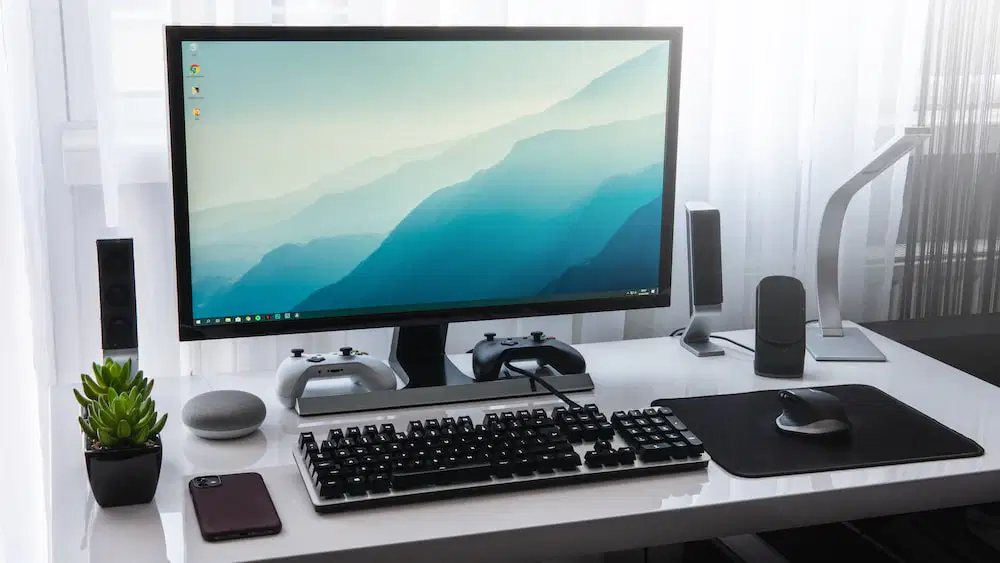
The ------------------ refers to the physical part of the computer.
Software
Hardware
System unit
Application
A _______ is an electronic device that manipulates information, or data.
Software
Hardware
Keyboard
Computer

What computer device do you see in the picture?
mouse pad
mouse
monitor
cursor

What computer device do you see in the picture?
printers
speakers
keyboards
home keys

What computer device do you see in the picture?
keyboard
typewriter
alphabet letters
buttons
What is the flat piece of material which provides a surface for the mouse to move across?
mouse pad
mouse
home keys
font

What computer device (the item in blue) do you see in the picture?
mouse pad
font
home keys
monitor

What computer device do you see in the picture?
keyboard
ink pen
monitor
flashdrive
TRUE or FALSE
You should never drink or eat around a computer.
True
False
I AM USED TO CLICK AND SELECT ANY OBJECT ON THE MONITOR. WHO AM I?
KEYBOARD
MONITOR
MOUSE
CPU
I USED TO TAKE PRINT OUT OF YOUR WORK. WHO AM I?
PRINTER
CPU
MOUSE
KEYBOARD
I HELP YOU IN TYPING YOUR NAME. WHO AM I?
CPU
MOUSE
MONITOR
KEYBOARD
Unscramble the word : SOUME
(a)
Unscramble the word : TOMIRON
(a)
Unscramble the word BEYKOARD
(a)
I am an OUTPUT that displays images for the user
CPU
Monitor
RAM
Motherboard
Things that are parts INSIDE a computer are called...
Keyboard
Components
Monitor
Mouse
The extra things that you CONNECT to a computer are called...
Mice
Electronics
Users
Peripherals

This device is known as a(n) ______
Modem
Video Card
CD ROM
HDMI

A _____ card is an internal expansion card that provides input and output of audio signals to and from a computer
Video
Sound
USB
HDMI

The purpose of the _____ is to provide the instructions and processing power the computer needs to do its work.
RAM
USB Drive
CD ROM
Processor

This device is essentially short term memory where data is stored as the processor needs it. It is referred to as ____.
RAM
USB
HDMI

What type of port is indicated in the picture?
S-Video
VGA
USB
HDMI

A modem is made to flow cooler air over hot areas in a computer and then exhaust it outside the computer
True
False

This part of the computer generates output images to display.
Sound Card
Video Card
RAM card
Motherboard

This part of the computer connects the different parts of the computer together.
Power Supply
RAM
Processor
Motherboard

This device can connect a computer to the internet wirelessly. It is known as a(n) _____.
router
ethernet box
USB box
HDMI box

What is the name of this device?
Monitor
Printer
Mouse
Webcam

This device is referred to as a(n) ______.
Scanner
Copier
Printer
Computer
Which computer components are OUTPUT devices? (check all of the right answers!)

Keyboard

Monitor

Headphones

Speakers
Which computer components are INPUT devices? (check all of the right answers!)
Keyboard

Mouse

Speakers

Microphone
Where are user files and documents permanently stored?
CPU
Monitor
Hard Drive
Input Device

