


6th Grade Finding Average Presentations
This Grade 6 presentation explains key concepts for finding average through structured instruction and visual learning slides. Students will master calculating averages using clear examples and step-by-step methods designed for sixth-grade mathematics understanding.

20 questions
Finding Average

Presentation
•
6th Grade

16 questions
Finding Mean of a Data Set
Presentation
•
6th Grade

7 questions
Finding and Using the Mean
Presentation
•
6th Grade

22 questions
Unit 7: Mean
Presentation
•
6th Grade
60 questions
Understanding Mean
Presentation
•
6th Grade

24 questions
Mean, Median, Mode Lesson
Presentation
•
6th Grade
21 questions
Average Speed
Presentation
•
6th Grade
22 questions
U8L10 Finding and Interpreting Mean
Presentation
•
6th Grade
17 questions
Mean of Histograms and Dot Plots
Presentation
•
6th Grade
16 questions
Mean, Median, Mode, and Range
Presentation
•
6th Grade
17 questions
Mean Median Mode
Presentation
•
5th - 6th Grade
20 questions
Averages and Range (Finding the Missing Values)
Presentation
•
6th - 8th Grade
Explore 6th Grade Finding Average Presentations
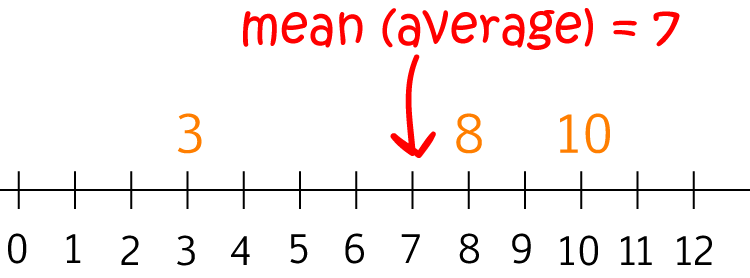
Finding Average presentations for Grade 6 mathematics provide comprehensive concept explanations and visual learning experiences that help students master this fundamental statistical skill. These teacher-created resources available through Wayground (formerly Quizizz) offer structured instruction that guides students through the process of calculating mean values using various data sets and real-world scenarios. The presentations develop essential mathematical reasoning abilities by demonstrating step-by-step procedures for adding values and dividing by the total count, while incorporating visual representations such as number lines, data tables, and graphical displays that make abstract concepts more concrete and accessible for sixth-grade learners. Wayground (formerly Quizizz) empowers educators with access to millions of teacher-created presentation resources specifically designed to support finding average instruction in Grade 6 mathematics curricula. The platform's robust search and filtering capabilities enable teachers to quickly locate standards-aligned materials that match their specific classroom needs, while built-in differentiation and customization tools allow for seamless adaptation of content to accommodate diverse learning levels and styles. These digital-first presentations can be delivered through interactive classroom displays, individual device access, or hybrid learning environments, providing flexible instructional options that support comprehensive lesson planning, targeted remediation for struggling students, enrichment opportunities for advanced learners, and ongoing skill reinforcement throughout the academic year.

Accessibility
Features
Wayground Super
School & District
Wayground for Business
Create a quiz
Create a presentation
Wayground AI
Subjects
Mathematics
Social Studies
Science
Physics
Chemistry
Biology
About
Our Story
Wayground Blog
Media Kit
Careers
Support
F.A.Q.
Help & Support
Privacy Policy
Terms of Service
Teacher Resources
2026 Wayground


Get our app

