

Software and OS Review

Presentation
•
Computers
•
9th - 12th Grade
•
Practice Problem
•
Medium

Daniel Clark
Used 6+ times
FREE Resource
11 Slides • 9 Questions
1
Software and Operating Systems
What is software? What is an operating system and its purpose? What is difference between application software and system software?
2

Are the programs or applications that runs on a computer.
Software is a set of instructions to tell the computer exactly what to do.
What is software?
3
Multiple Select
What is Software? (There are TWO correct answers)
Set of instructions to tell the computer exactly what to do.
Programs that runs on a computer.
A human readable way to write computer instructions.
Programs that run on a non-computing device.
4

Two Types of Software
5
Applications meant for the user to use to do tasks.
Typically, downloaded/installed on the computer from an app store.
User Application Software
6
Games
Word Processors (Microsoft Word or Google Docs)
Web Browser (Microsoft Edge or Google Chrome)
Spreadsheet Application (Microsoft Excel)
Presentation Software (Microsoft PowerPoint)
Anything you use on the computer to complete work
Application Software Examples
7
Applications meant for the computer to perform tasks.
Handles the activities and functions of hardware and application software.
System Software
8
Sits between the computer hardware and the application software
Users do not interact directly with system software as it runs in the background, handling the basic functions of the computer.
System Software
9
Multiple Choice
This type of software sits between computer hardware and software on the computer. Typically not used directly by the computer user.
System Software
User Application Software
10
Operating System
System Utilities/Tools
Device Driver (Software for a specific input/output device)
Boot Program (Loads the operating system into main memory when the computer turns on)
BIOS (Basic Input/Output System; Manages communication between input/output devices and the operating system)
System Software Examples
11

System Software that makes the computer usable by managing computer hardware and software.
What is an Operating System (OS)?
12
Purpose of Operating System (OS)
Manages memory allocation among applications
Manages multi-tasking
Displays a Graphical User Interface (GUI)
Enables you to interact with the computer using application displays and icons rather than a text-based console
13
Multiple Select
What is the purpose of the Operating System (OS)? There is more than one correct answer.
Manage computer hardware and software
Manages multi-tasking
Makes the computer usable.
Displays a Graphical User Interface.
14

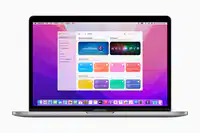

Microsoft Windows
Apple Mac OS
Linux
15
Multiple Choice
This operating system is commonly found on most PCs (personal computers) such as at schools or an office.
Microsoft Windows
Apple Mac OS
Linux
16
Multiple Choice
Called Apps or Programs and is used daily by the user to perform tasks.
System Software
User Application Software
17
Multiple Choice
Games, Word Processors, Web Browsers, and any office applications are considered ...
System Software
User Application Software
18
Multiple Choice
System Utilities/Tools, Device Drivers, and the Operating System (OS) are considered ...
System Software
User Application Software
19
Fill in the Blanks
Type answer...
20
Poll
How do you feel about your knowledge of software and operating systems after this lesson?
I still have some questions or confusion, but understand better.
I completely understand.
I am completely lost and confused.
Software and Operating Systems
What is software? What is an operating system and its purpose? What is difference between application software and system software?
Show answer
Auto Play
Slide 1 / 20
SLIDE
Similar Resources on Wayground

15 questions
Endocrine System
Presentation
•
9th - 12th Grade
16 questions
Choosing and Registering a Website
Presentation
•
9th - 12th Grade
15 questions
Computational Thinking - Lesson Show - Part 2
Presentation
•
9th - 12th Grade
18 questions
Grammar Lesson: Active vs Passive Voice
Presentation
•
9th - 12th Grade
18 questions
Data Lesson
Presentation
•
9th - 12th Grade
13 questions
Imperialism
Presentation
•
9th - 12th Grade
16 questions
Computer Science Principles Unit 2 Review
Presentation
•
9th - 12th Grade
13 questions
Partes de Word
Presentation
•
9th - 12th Grade
Popular Resources on Wayground
10 questions
Factors 4th grade

Quiz
•
4th Grade
10 questions
Cinco de Mayo Trivia Questions

Interactive video
•
3rd - 5th Grade
13 questions
Cinco de mayo
Interactive video
•
6th - 8th Grade
20 questions
Math Review
Quiz
•
3rd Grade
20 questions
Main Idea and Details
Quiz
•
5th Grade
20 questions
Context Clues
Quiz
•
6th Grade
20 questions
Inferences
Quiz
•
4th Grade
19 questions
Classifying Quadrilaterals
Quiz
•
3rd Grade
Discover more resources for Computers
45 questions
AP CSP Exam Review
Quiz
•
9th - 12th Grade
50 questions
AP CSP Review
Quiz
•
9th - 12th Grade
17 questions
CSP Robot Questions Review
Quiz
•
10th - 12th Grade
10 questions
Exploring Digital Citizenship Essentials
Interactive video
•
6th - 10th Grade
50 questions
IBT Final Exam Review (Spring)
Quiz
•
9th - 12th Grade