

Computer Storage - Secondary Storage

Presentation
•
Computers
•
6th - 8th Grade
•
Hard

Ayomikun J Sodipe
FREE Resource
28 Slides • 46 Questions
1
2

3

4
5
6

7
Multiple Choice
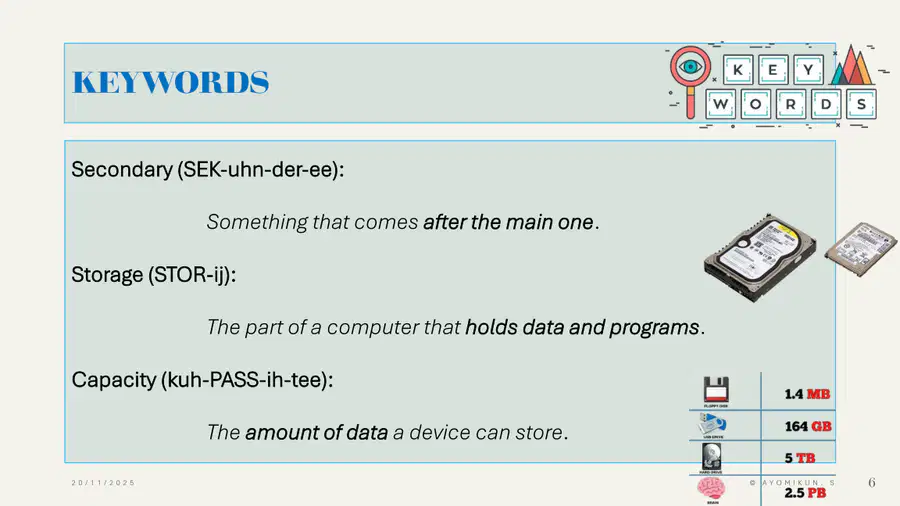
In computing, what does "capacity" mean?
How fast a device can send data
How long a device can stay switched on
The amount of data a device can store
The time it takes to open a file
8
Multiple Choice
Which sentence best describes "storage" in a computer system?
The part that connects the computer to the internet
The part that holds data and programs
The part that displays images and video
The part that cools down the CPU
9
10
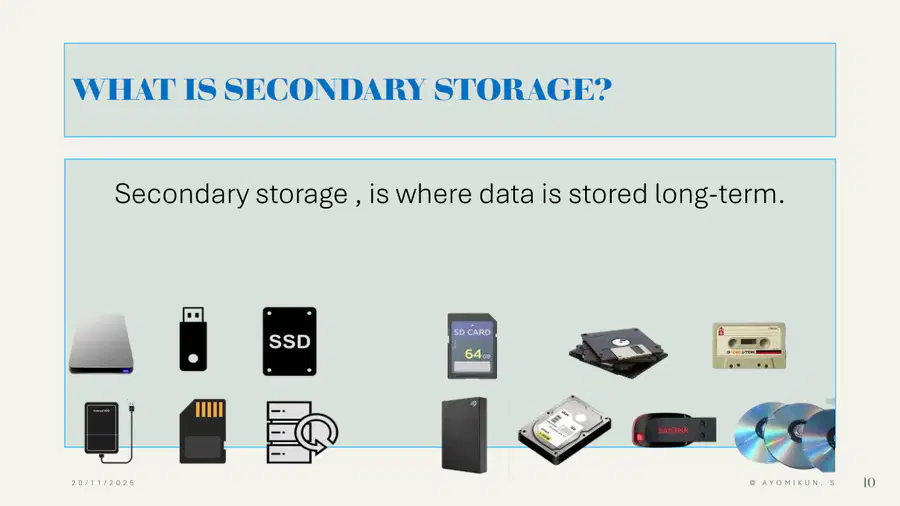
11
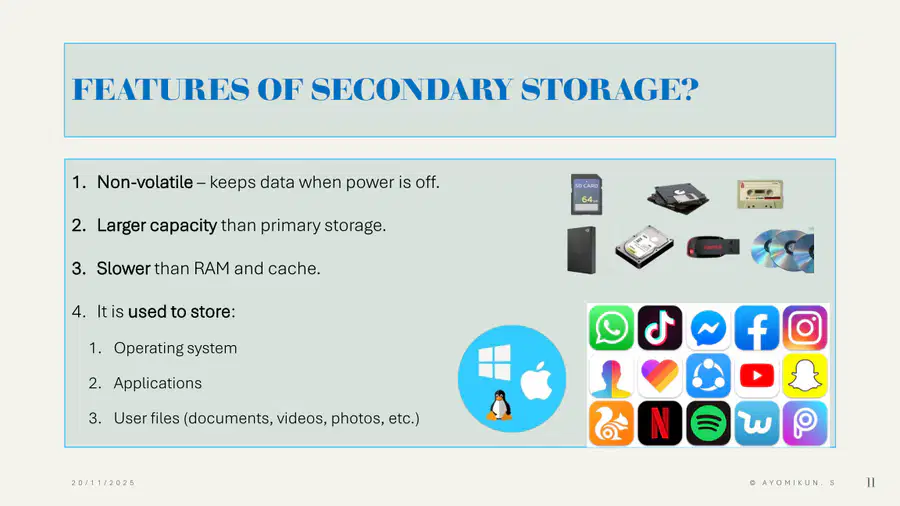
12

13
Multiple Choice
What is secondary storage?
Storage used only by the CPU’s cache
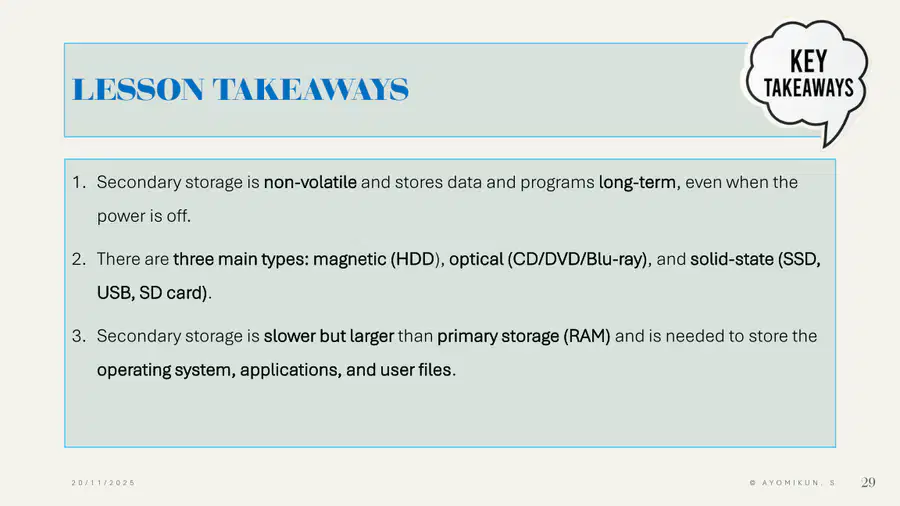
Storage that holds data and programs long-term
Storage that is wiped every time the power is on
Storage that only exists on the internet
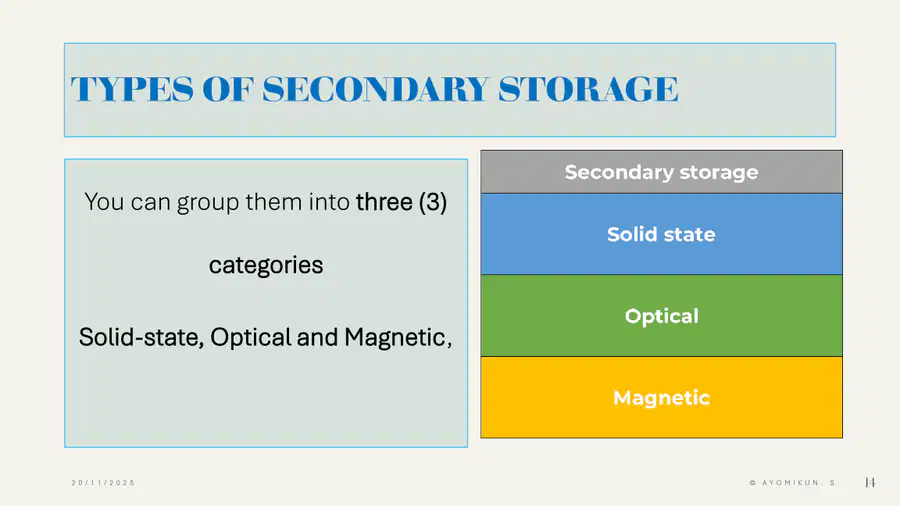
14
Multiple Choice
Which of these is the best example of secondary storage?
RAM
CPU
SSD
Cache
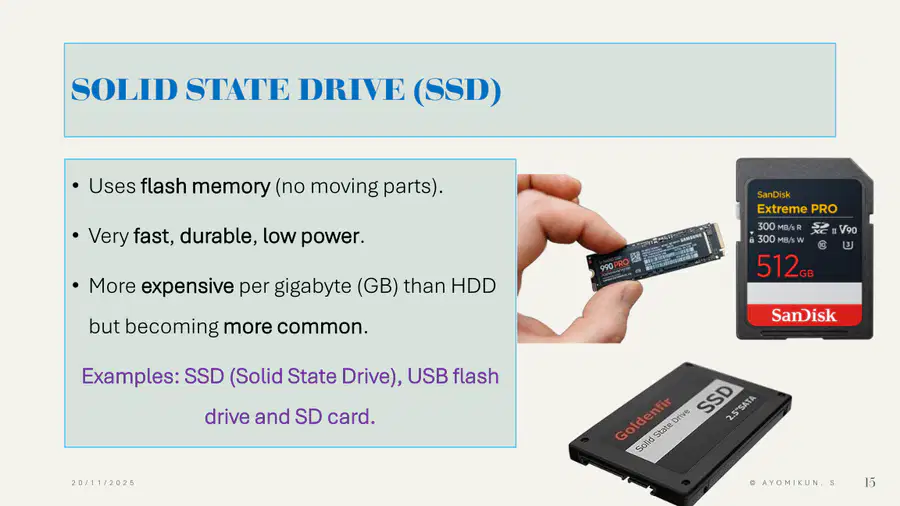
15
Multiple Choice
Secondary storage is described as non-volatile. What does this mean?
It is very fast
It loses data when power is off
It keeps data when power is off
It is only used by the CPU
16
Multiple Choice
Compared to primary storage (RAM), secondary storage usually has:
Lower capacity and is faster
Larger capacity and is slower
Lower capacity and is slower
The same capacity and speed
17
Multiple Choice
Compared to primary storage (RAM), secondary storage usually has:
Lower capacity and is faster
Larger capacity and is slower
Lower capacity and is slower
The same capacity and speed
18
Multiple Choice
Which of these is normally stored in secondary storage?
The CPU clock speed
The operating system and applications
The instructions currently executed by the CPU
Only temporary files
19
Multiple Choice
Which statement about secondary storage is TRUE?
It is always faster than cache
It is used only to store games
It stores user files like photos and documents
It deletes all files when the computer is turned off
20

21
22
23
24
25

26
Multiple Choice
How are types of secondary storage grouped?
Internal, external, portable
Solid-state, optical, magnetic
Cloud, local, virtual
Fast, medium, slow
27
Multiple Choice
What does CPU stand for?
Central Power Unit
Central Processing Unit
Computer Processing Unit
Core Program Unit
28
Multiple Choice
What does OS stand for (in computing)?
Output System
Operating System
Online Storage
Open Software
29
Multiple Choice
In storage, what does MB stand for?
Mega Byte
Main Bit
Mixed Byte
Mega Block
30
Multiple Choice
In storage, what does GB stand for?
Great Byte
Giga Byte
General Bit
Giga Block
31
Multiple Choice
What does ROM stand for?
Read Only Memory
Random Online Memory
Real Output Module
Readable Operating Memory
32
Multiple Choice
What does RAM stand for?
Random Access Memory
Read Access Memory
Rapid Action Memory
Random Active Module
33
Multiple Choice
What does HDD stand for?
Hard Disk Drive
Heavy Data Disk
High Data Drive
Hard Drive Device
34
Multiple Choice
What does SSD stand for?
System Storage Device
Solid State Drive
Secondary Storage Disk
Serial Storage Device
35
Multiple Choice
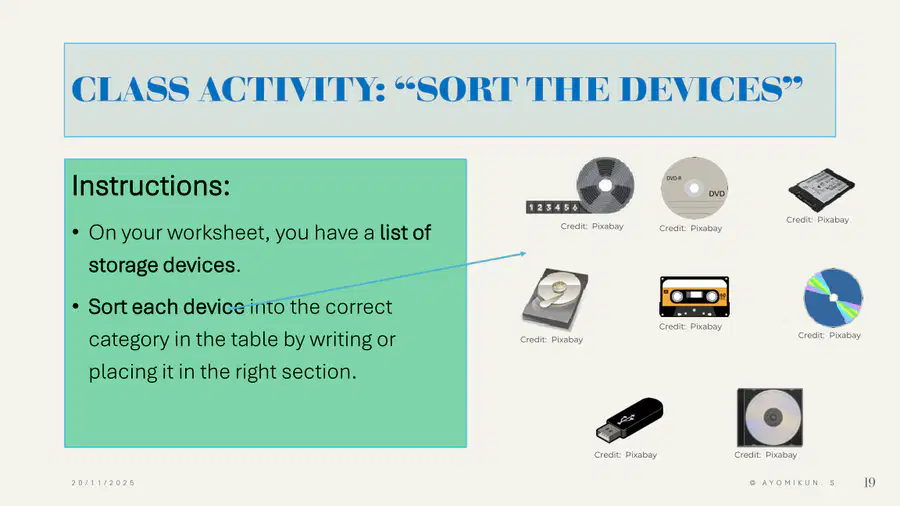
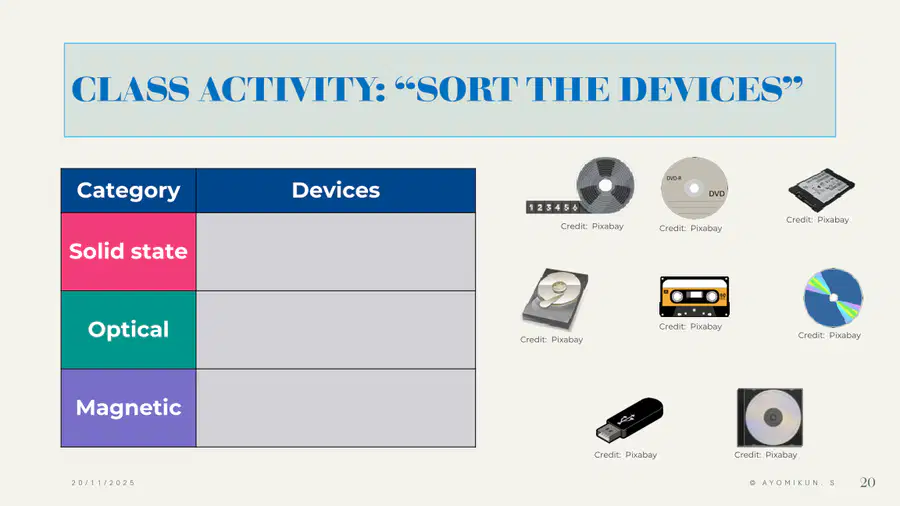
Which device is an example of solid-state storage?
Hard disk drive
CD
USB flash drive
Magnetic tape
36
Multiple Choice
Which device is an example of optical storage?
SD card
DVD
Hard disk drive
USB flash drive
37
Multiple Choice
Which device is an example of magnetic storage?
Blu-ray disc
SSD
Hard disk drive
SD card
38
Multiple Choice
Which row correctly matches the storage type and an example?
Solid-state – HDD
Optical – Blu-ray
Magnetic – SD card
Solid-state – DVD
39
Multiple Choice
What does a solid-state drive (SSD) use to store data?
Spinning magnetic disks
Punch cards
Flash memory with no moving parts
Laser beams
40
Multiple Choice
Which of these is a typical advantage of solid-state storage?
Very slow access speed
No moving parts, so it is durable
Very low cost per gigabyte
Only works when the power is off
41
Multiple Choice
Which statement about SSDs is TRUE?
They are usually slower than hard disk drives
They use flash memory and are very fast
They store data using laser light
They cannot be used in laptops
42
Multiple Choice
Why are SSDs often used in modern laptops?
They are fragile and heavy
They have moving parts that cool the system
They are fast, use low power, and are durable
They can only store the operating system
43
Multiple Choice
Which of these storage devices is also solid-state?
USB flash drive
CD-ROM
Blu-ray disc
Magnetic tape
44
Multiple Choice
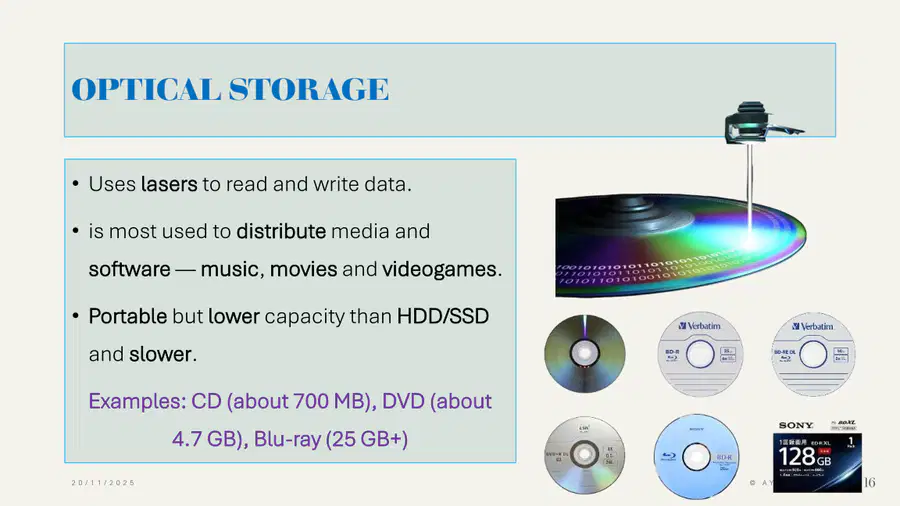
How does optical storage read and write data?
By using electric sparks
By using magnetic fields
By using lasers
By using water cooling
45
46
47
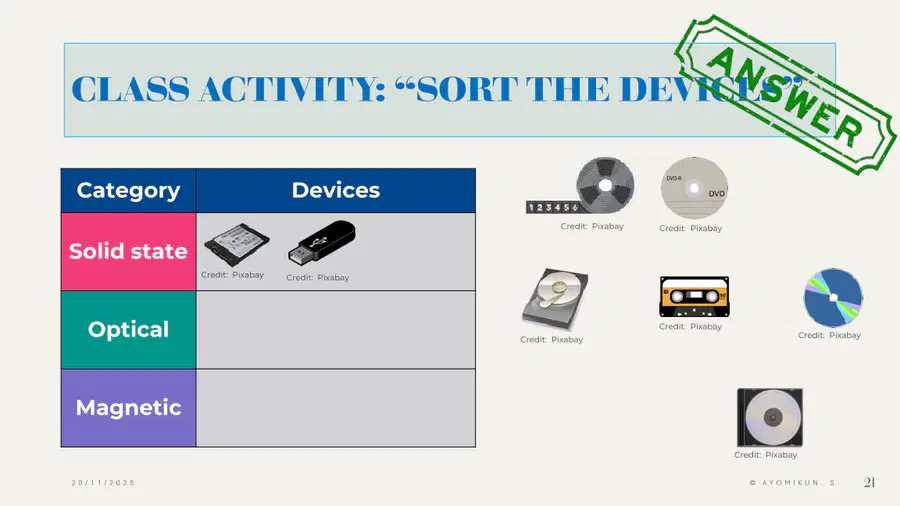
48
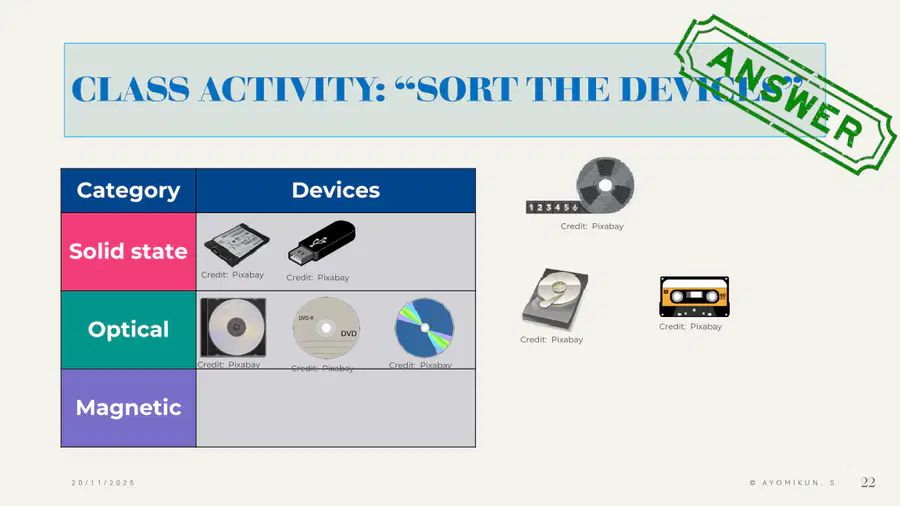
49
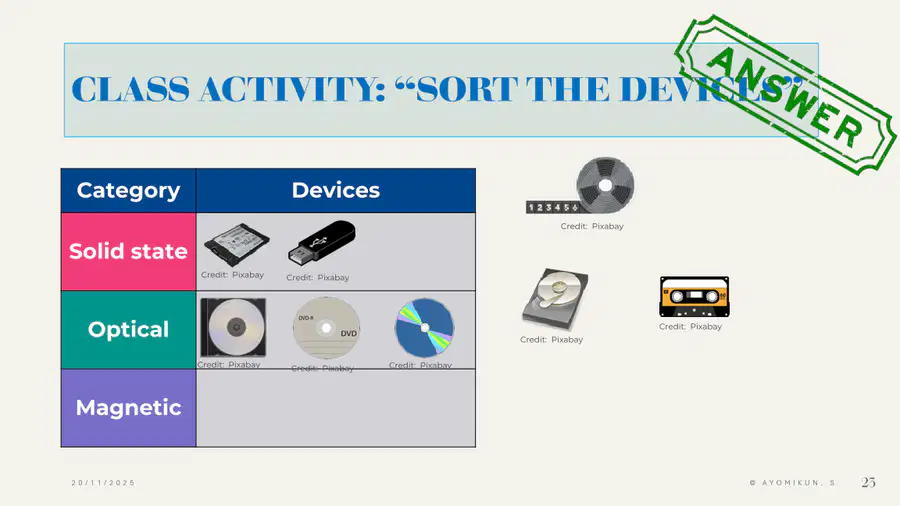
50

51
Multiple Choice
What is optical storage most commonly used for?
Storing the CPU instructions
Distributing music, films, and games
Running the operating system
Saving temporary files only
52
Multiple Choice
Which statement about optical media is TRUE?
It is usually slower than SSDs and HDDs
It always has higher capacity than SSDs
It is built only inside the motherboard
It is non-portable and fixed inside the case
53
Multiple Choice
Which of these lists optical media from smallest to largest typical capacity?
DVD, CD, Blu-ray
CD, Blu-ray, DVD
Blu-ray, DVD, CD
CD, DVD, Blu-ray
54
Multiple Choice
Which device would be BEST to store a high-definition film for sale in shops?
CD
DVD
Blu-ray
USB flash drive
55
Multiple Choice
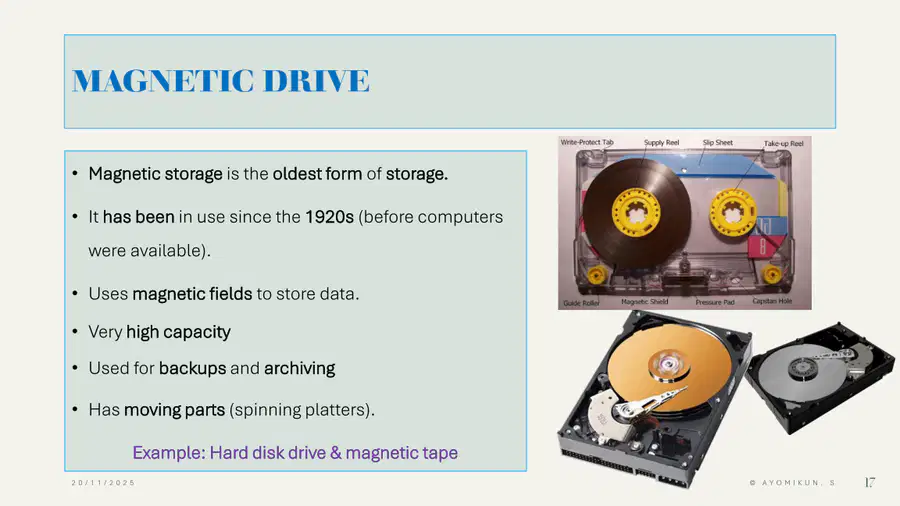
What do magnetic storage devices use to store data?
Laser beams
Magnetic fields
Electrical sparks
Water pressure
56
Multiple Choice
Which of these is a common example of magnetic storage?
Hard disk drive
DVD
SD card
Blu-ray disc
57
Multiple Choice
Which statement about magnetic storage is TRUE?
It has very low capacity
It has moving parts such as spinning platters
It is newer than solid-state storage
It cannot be used for backups
58
Multiple Choice
Why are magnetic tapes often used for backups and archiving?
They are very small but extremely fast
They have high capacity and are good for storing large amounts of data
They are the only type of volatile storage
They can only store audio files
59
Multiple Choice
Historically, what is special about magnetic storage?
It was invented after SSDs
It is the oldest form of storage and has been used since around the 1920s
60

61
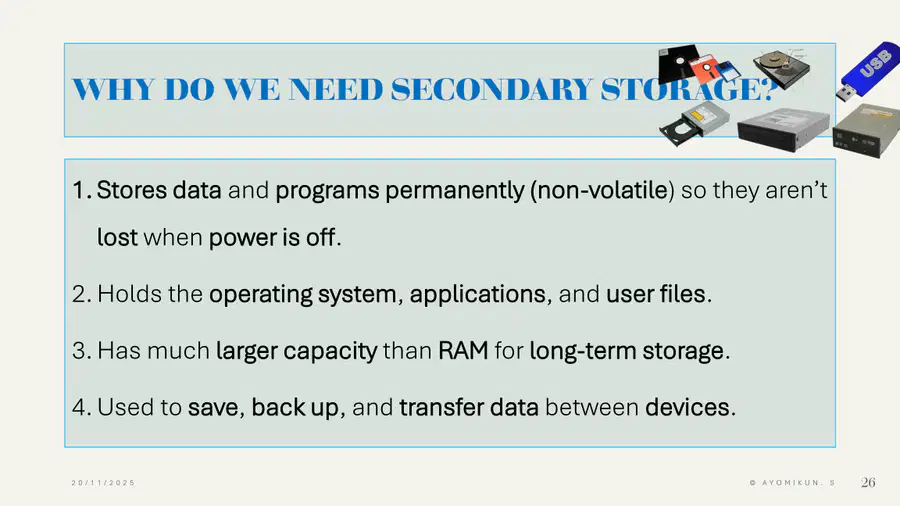
62
63
64
Multiple Choice
Why is secondary storage important for the operating system?
It keeps the CPU cool
It is the only place the OS can be stored long-term
It makes the screen brighter
It controls the keyboard layout
65
Multiple Choice
Which is the BEST reason why secondary storage is needed?
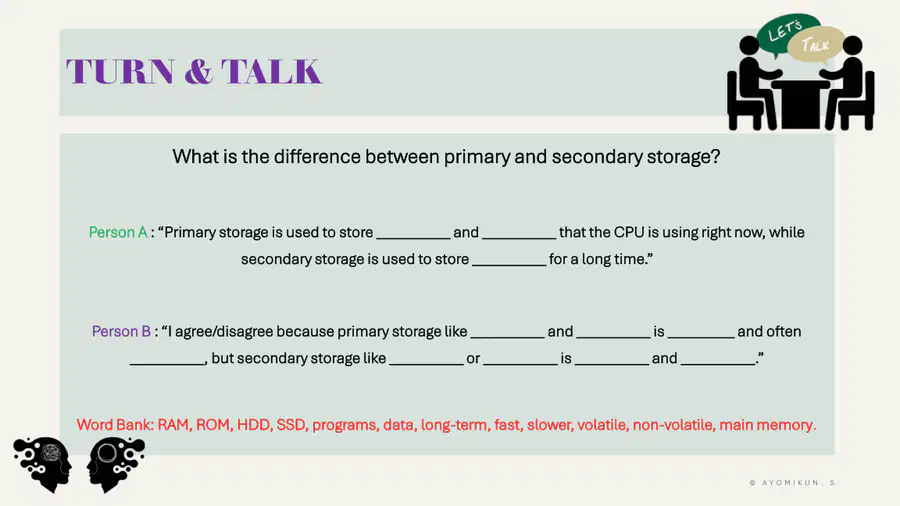
To permanently store data and programs so they are not lost when power is off
To speed up the CPU’s clock
To show colours on the display
To replace the need for RAM
66
Multiple Choice
Which task is secondary storage MOST suitable for?
Storing current instructions the CPU is executing
Temporarily holding data during a single calculation
Backing up user files and transferring them between devices
Controlling how fast the fan spins
67
Multiple Choice
Which statement about capacity is TRUE?
Secondary storage usually has much more capacity than RAM
Secondary storage always has less capacity than RAM
Secondary storage and RAM always have the same capacity
Capacity only applies to primary storage
68
Multiple Choice
Which of these is NOT a typical use of secondary storage?
Storing the operating system
Storing user documents and videos
Backing up important data
Increasing the screen resolution
69
Multiple Choice
Which statement correctly compares primary and secondary storage?
Primary storage is non-volatile; secondary storage is volatile
Primary storage is long-term; secondary storage is only temporary
Primary storage is usually faster; secondary storage usually has more capacity
Both primary and secondary storage lose data when power is off
70
Multiple Choice
What does CD stand for?
Computer Disk
Compact Disc
Common Drive
Control Disk
71
Multiple Choice
What does DVD stand for?
Digital Video Disk
Data Video Disk
Digital Versatile Disc
Dual Video Disc
72
Multiple Choice
What does USB stand for?
Universal Serial Bus
Universal Storage Box
United System Bus
User Storage Bank
73
74
Show answer
Auto Play
Slide 1 / 74
SLIDE
Similar Resources on Wayground

65 questions
Cybersecurity - Malware
Presentation
•
8th Grade
69 questions
Grade 7 After Break Review 2022
Presentation
•
7th Grade
67 questions
Week 4 Animal and Plant Cell
Presentation
•
7th - 9th Grade
64 questions
Invasive & Endangered Species
Presentation
•
7th Grade
66 questions
The Ecosystem: Feel the Energy Flow
Presentation
•
7th Grade
74 questions
GEM Class: Measurement
Presentation
•
7th - 8th Grade
68 questions
Earth's Climates
Presentation
•
6th Grade
68 questions
7E: 3.2 Plate Tectonics Lesson
Presentation
•
7th - 8th Grade
Popular Resources on Wayground
10 questions
Safety Day 2026 – Student Review

Quiz
•
9th Grade
21 questions
Continents and Oceans
Quiz
•
6th Grade
20 questions
Parts of Speech
Quiz
•
5th Grade
16 questions
Subject & Predicate
Quiz
•
5th Grade
25 questions
Multiplication Facts
Quiz
•
5th Grade
12 questions
Map Skills
Quiz
•
3rd Grade
22 questions
Continents and Oceans
Quiz
•
5th Grade
15 questions
Rounding Decimals
Quiz
•
5th Grade