
 Worksheets
Google Docs Fundamentals-Unit 1
Total questions: 28
Worksheet time: 42mins
Explain the purpose of a list and describe the two types of lists.
What are paragraph styles?
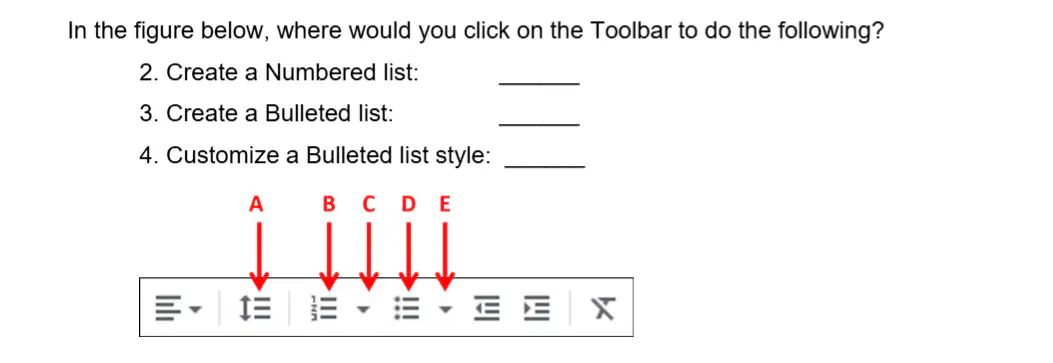
In the figure below, where would you click on the Toolbar to create a Numbered list?

In the figure below, where would you click on the Toolbar to create a Bulleted list?

In the figure below, where would you click on the Toolbar to customize a Bulleted list style?
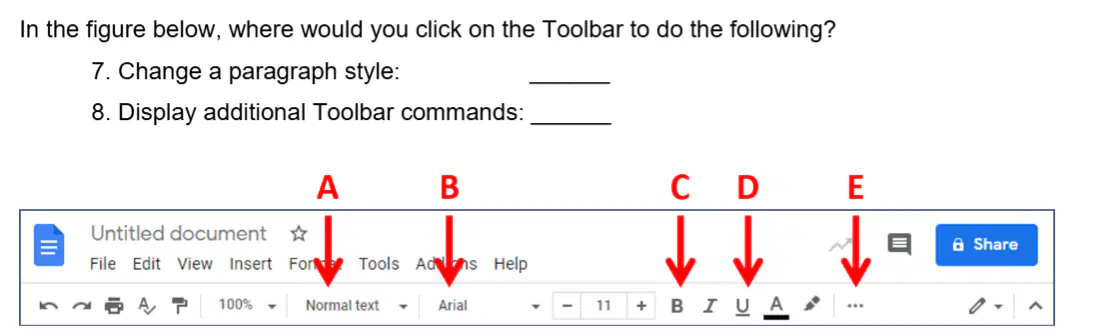
In the figure below, where would you click on the Toolbar to change a paragraph style?

In the figure below, where would you click on the Toolbar to display additional Toolbar commands?

Write the proper paragraph alignment next to each image.
(a)
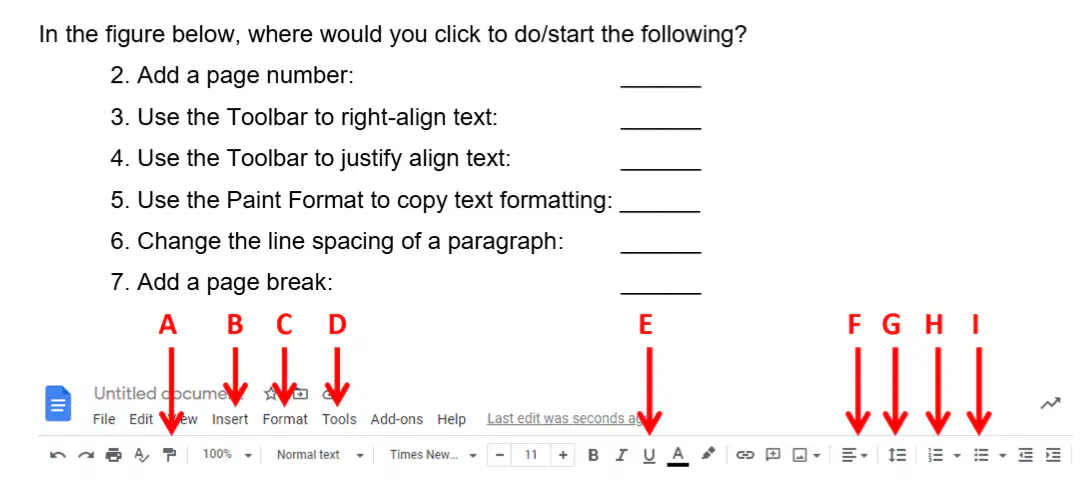
In the figure below, where would you click to do/start the following? Add a page number:
(a)
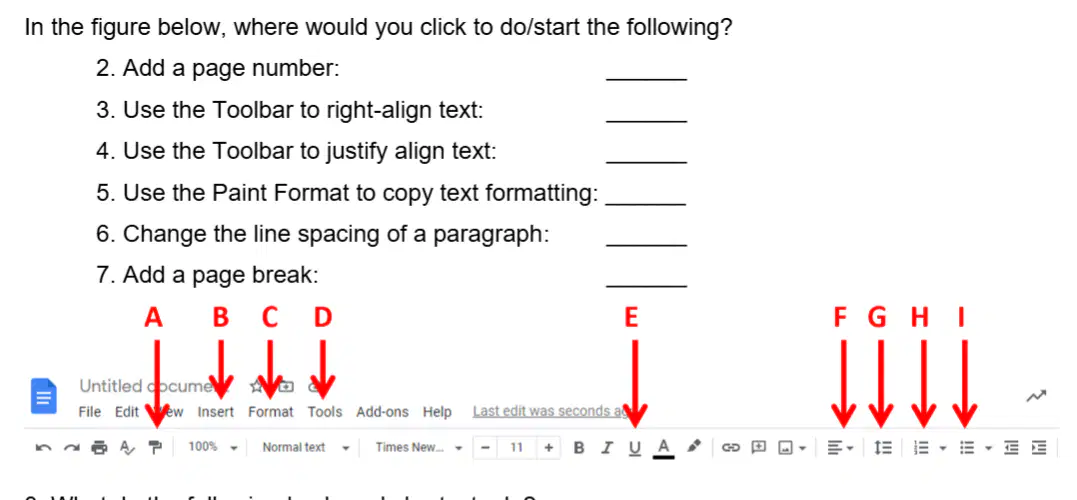
In the figure below, where would you click to do/start the following? Use the Toolbar to right-align text:
(a)
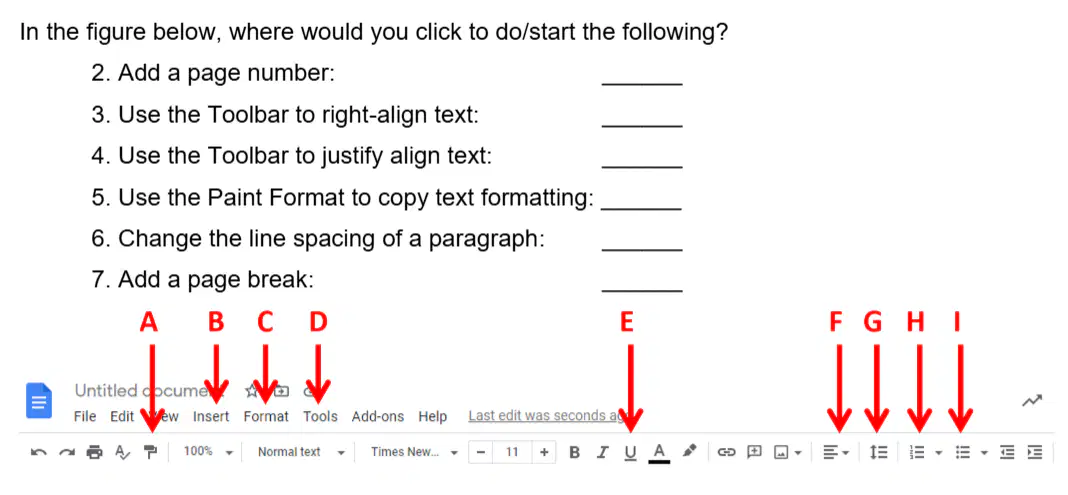
In the figure below, where would you click to do/start the following? Use the Toolbar to justify align text:
(a)

In the figure below, where would you click to do/start the following? Use the Paint Format to copy text formatting:
(a)
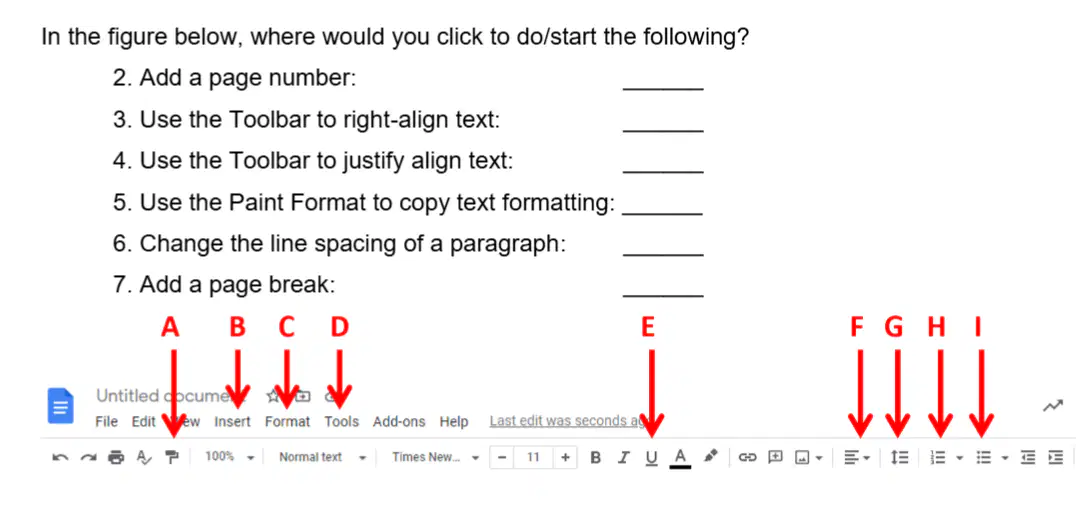
In the figure below, where would you click to do/start the following? Change the line spacing of a paragraph:
(a)
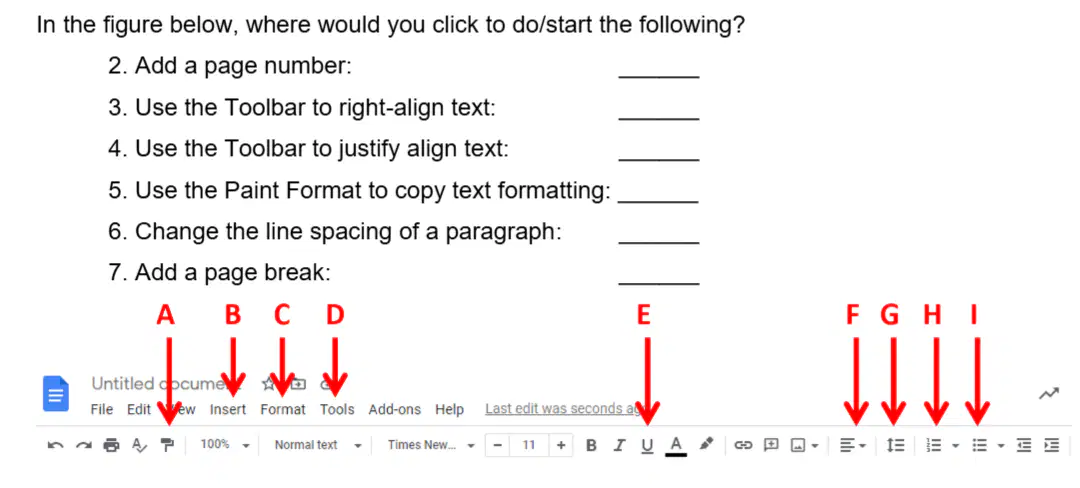
In the figure below, where would you click to do/start the following? Add a page break:
(a)
What do the following keyboard shortcuts do? Ctrl+Y:
(a)
What do the following keyboard shortcuts do? Ctrl+A:
(a)
What do the following keyboard shortcuts do? Ctrl+C:
(a)
What do the following keyboard shortcuts do? Ctrl+V:
(a)
What is the purpose of the Paint Format tool?
What does double-clicking the Paint Format tool allow you to do?
What two non-text items can you use in a document to add emphasis and energy?

In the figure below, where would you click to start the following? Change the paper size:
(a)
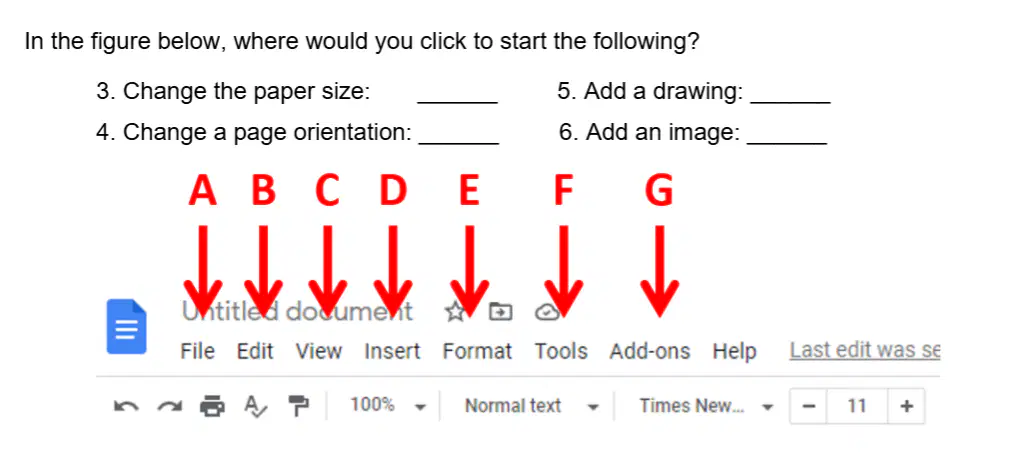
In the figure below, where would you click to start the following? Change a page orientation:
(a)
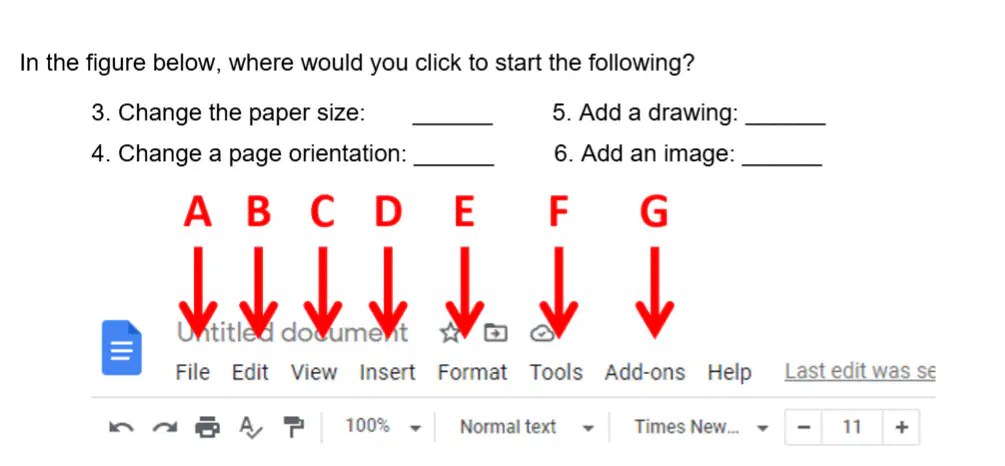
In the figure below, where would you click to start the following? Add a drawing:
(a)
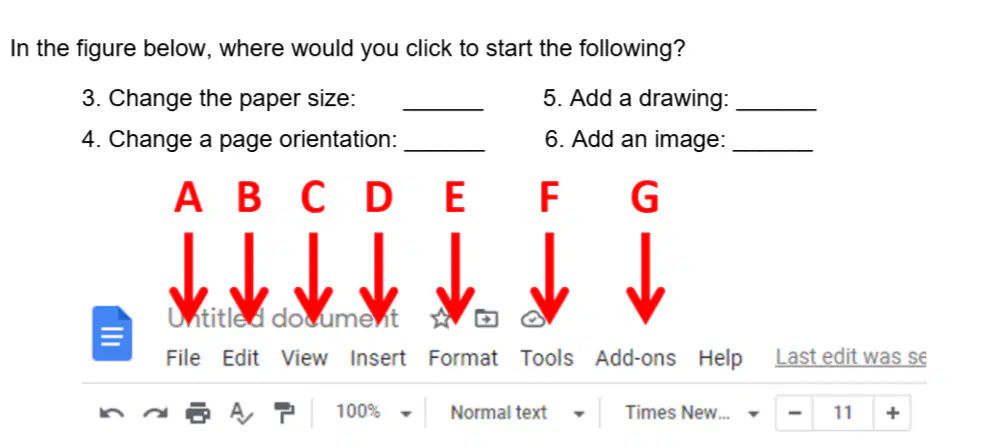
In the figure below, where would you click to start the following? Add an image:
(a)
Explain the three options for having text flow with objects.
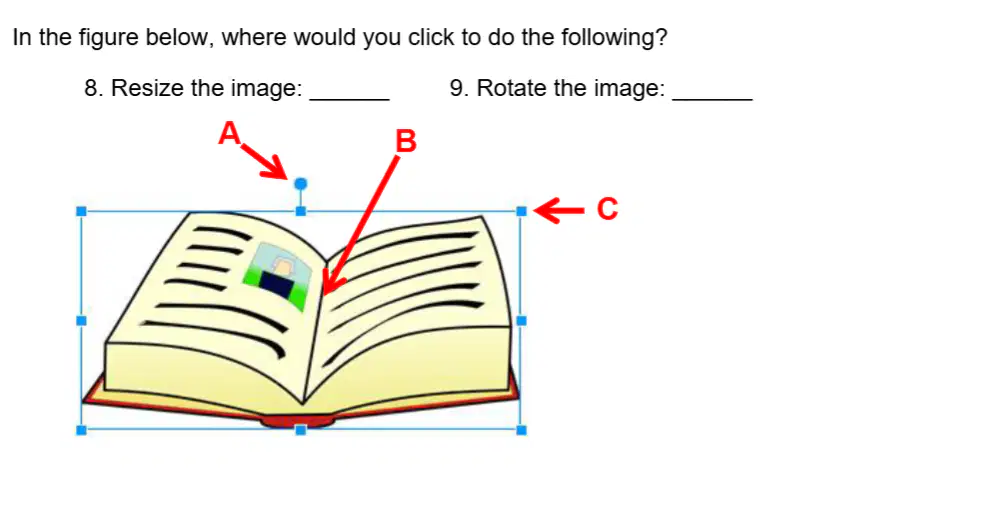
In the figure below, where would you click to resize the image?
(a)
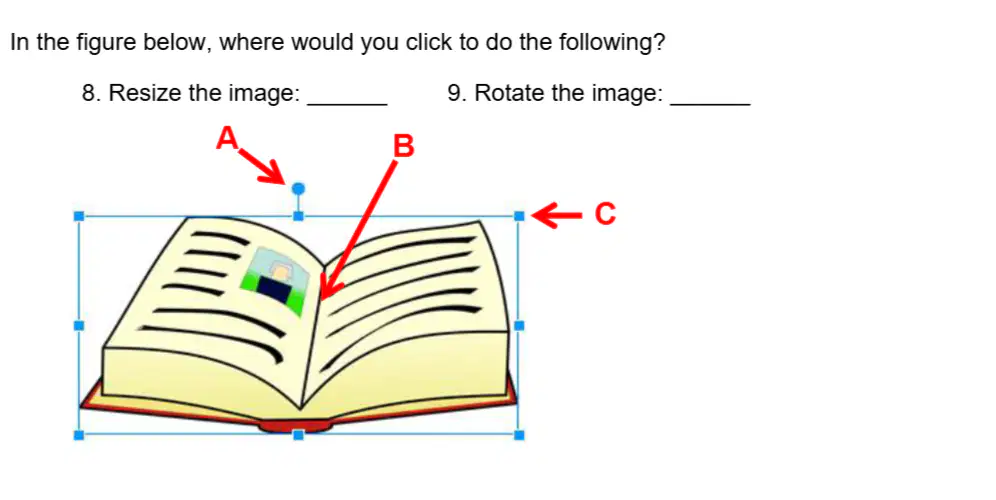
In the figure below, where would you click to rotate the image?
(a)

