ESSA Level III — Evidence-based designation that meets the bar for federal program funding and district adoption.
95% verified standards alignment — vs. 70–80% typical for third-party item banks.
95%
20+ built-in accommodations — high-rigor content accessible to every learner, out of the box.
20+
Subjects, grades, and standards frameworks
The library covers Math, Science, and ELA for grades 3–8. It’s aligned to your state’s standards, Common Core (CCSS), and NGSS. Every item ships with standard alignment, Depth of Knowledge (DOK) level, question type, and learning objective tagged from day one.
Pre-set alignment
Items ship aligned to state standards and common textbooks out of the box.
Custom scope and sequence
Districts can align the library to their own pacing calendars or adopted curricula.
Alongside existing assessments
The library works in parallel with district-built assessments and existing item banks. It doesn’t require replacing what’s already working.
Both start with your standards
Teachers can build assessments from the item bank by selecting their standards, or upload their scope and sequence, and let Wayground align the bank to their pacing. Either way, the items are rigorous, every item is editable, and the result fits the curriculum your district already invested in.
Build from your standards
Pick a standard, grade, and DOK level. Filter the item bank. Assemble a rigorous, standards-aligned assessment in minutes — with full control over every item.
Upload your scope and sequence
Share your district’s pacing guide and Wayground maps the item bank to your curriculum. The system surfaces 2–3 pre-built assessments per unit and aligns the full bank to your calendar — so teachers open a unit and the right items are already there.
Every item is fully editable. Change wording, swap answer choices, adapt to your classroom. Nothing is locked.
Built around the curriculum you've already invested in
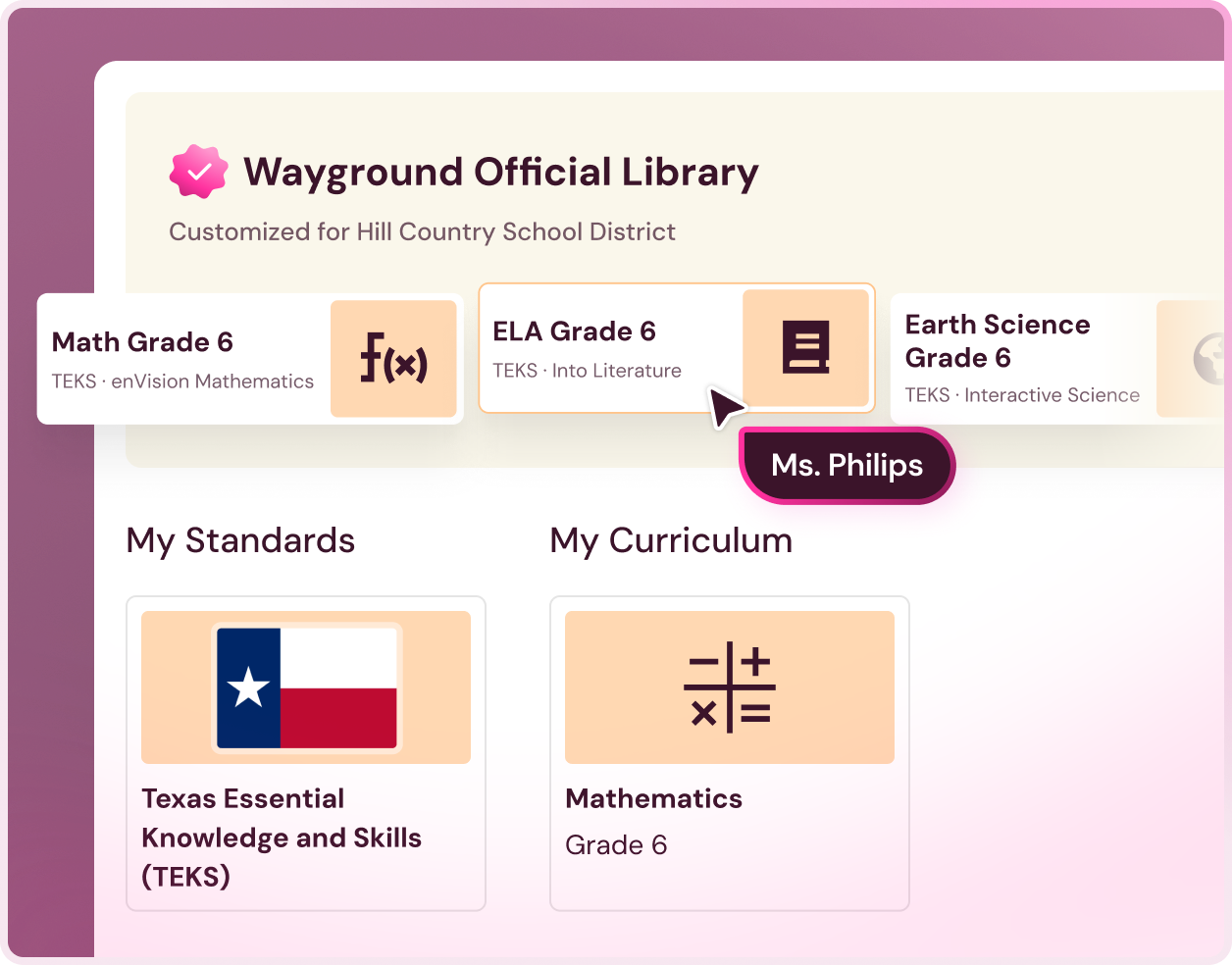
Out of the box, the library aligns to your state's standards. Districts that have made a curriculum adoption — or built their own scope and sequence — can go further.
Upload your pacing guide and Wayground maps the item bank directly to your calendar, so when a teacher opens a unit, the right items are already organized and ready to build from.
The curriculum adoption was the investment. This is what makes it work harder.
Not sure if your document qualifies?
Bring it to the discovery call. The requirement is straightforward: topics with standards mapped per topic. Most district pacing guides already meet it.
State standards alignment
Out of the box
Items ship pre-aligned to your state’s test blueprint. No configuration needed — teachers see relevant content on day one.
Custom curriculum alignment
Mapped to your pacing
Share your scope and sequence (topics with standards mapped) and Wayground builds a custom-aligned library against it. Teachers open a unit and find items already organized to where they are in the year — plus 2–3 pre-built assessments ready to assign or edit.
State-test rigor, organized around the rhythm of instruction
Most formative content is built for convenience — low demand, easy to grade, misaligned to what the state test actually asks. The library closes that gap. Items are modeled on the structure and difficulty of your state’s assessment, and organized around the three moments teachers actually teach through.
Teach & Check
Short multiple-choice formative checks for use before, during, and after instruction. Quick, actionable signal. Not a grading tax. Teachers see who’s with them and who isn’t, in real time.

Practice & Prepare
Higher-rigor, test-aligned practice items that mirror state assessment format and difficulty — including technology-enhanced items (TEIs). Builds familiarity and confidence before the end of a unit.
Review & Recap
Cross-topic assessments that spiral back across multiple standards, before a unit test, benchmark window, or state assessment. Teachers don’t have to build these from scratch. The items are already there — organized and ready to assemble.
Built to hold up under scrutiny
Every item in the Official Library is AI-drafted against a specific state standard, validated by expert-built checks with human review sampling, and continuously monitored after release. No static item bank. No two-year refresh cycle.
Multiple choice
Single and multi-select, with distractors built around common student misconceptions.
Technology-enhanced items (TEIs)
Drag-and-drop, matching, ordering, labeling — the formats most item banks underrepresent.
Constructed response
Open-ended items that require students to demonstrate reasoning, not just select an answer.
Anchored to your state's standard
Items generate against specific state standards, not a Common Core crosswalk. Each item is tied to a defined standard, assessment objective, and rigor level from the start.
AI-assisted drafting with expert exemplars
AI is guided by expert-built exemplar questions to match the style, structure, and complexity of real state test items — including distractors designed around common student misconceptions.
Automated alignment validation + human review sampling
Every item passes automated alignment checks. A representative sample receives structured human review for content accuracy, standard alignment, bias, and DOK classification.
Continuous post-release monitoring
Item performance is tracked after release. Items with difficulty or discrimination outside acceptable ranges are flagged, revised, or retired. Not left in the bank indefinitely.
Verified standards alignment vs. 70–80% typical for third-party banks.
95%
Rigor levels tagged by trained reviewers using Webb's framework.
DOK1–3
High-rigor content, accessible to every student — out of the box
Wayground’s 20+ built-in accommodations reach every learner. Text-to-speech, translated directions, dyslexia-friendly fonts, simplified language, reduced answer choices, and more — applied at the student level, without creating separate assessment versions.
Not all item banks are built the same way
The difference between the Wayground Official Library and a traditional third-party item bank isn’t just the number of items. It’s the model behind them.
Capability
Teachers build assessments from the bank
Scope and sequence alignment
Continuous post-release performance monitoring
Organized around instructional sequence
Built-in accommodations for every learner
Lives inside your teacher workflow
Data teachers act on tomorrow. Patterns admins can see across the district
Every assessment built from the library feeds standards-based reporting at two levels. Teachers get item-level signal they can act on the next day. Administrators get visibility across classrooms, schools, and the district — without waiting for a benchmark window.
Standards coverage and implementation tracking across your district
Standards mastery by school and grade — See where students are meeting standards and where they’re not, across every building.
Standards coverage tracking — Identify which standards have been assessed district-wide and where the gaps in coverage are.
Implementation visibility — See which teachers and schools are using the library, and where adoption support would help.
Standards-based reporting at the classroom level
Standards mastery by school and grade — See where students are meeting standards and where they’re not, across every building.
Standards coverage tracking — Identify which standards have been assessed district-wide and where the gaps in coverage are.
Implementation visibility — See which teachers and schools are using the library, and where adoption support would help.
See the library in your district's context
Talk to someone who knows your state's standards.

Plays well with your entire tech stack
Enterprise-grade SSO, SIS, and LMS integrations — rostering and grade sync work on day one. No CSV uploads, no manual setup.
Make privacy a priority
Responsible technology that puts educator and student privacy first. Enterprise-grade security, comprehensive data protection, and signed agreements that ensure your information remains yours.
FERPA compliant
COPPA compliant
SOC 2 certified
DPA available