

Tech+ 4.1 Cybersecurity

Presentation
•
Information Technology (IT)
•
10th Grade
•
Practice Problem
•
Easy

Sean Carchidi
Used 1+ times
FREE Resource
28 Slides • 25 Questions
1

2

3
Open Ended

What 2 questions would you ask him?
4
Open Ended
What would you advise him to do?
5
Some good questions
Does the email sender’s address look correct?
Is the company’s URL correct when you hover your mouse over it?
Does the email or message ask you to take immediate action, or something bad will happen?
Your account will be suspended.
You owe back taxes and must pay immediately.
Etc.
6
Some good questions
Does the email or message address you by name?
If it reads “Dear Customer,” it’s likely a phishing email.
Even if it addresses you by name, it could be a spear phishing (targeted) email.
Are there any spelling or grammar mistakes in the message?
Emails and messages from companies are unlikely to have spelling and grammar mistakes.
Is it from a person or company you know?
Do you have an account at this bank?
Are they notifying you about unauthorized activity? (This is a tactic threat actors often use.)
Are they asking you to verify your identity or login information?
7
Some advice
If you suspect that a message or email is from a threat actor:
Click nothing, not even “unsubscribe.”
Report the email or message.
Delete it.
8
Some advice
What should you do it the email or message appears to be from a person or company you know, but you aren’t sure?
Call the person to verify.
Type the company’s URL into your browser. Then log in.
Contact the company.
9

10
How could one mistake from one person affect an org's cybersecurity?
11
Someone might:
Accidentally disclose sensitive information by:
Responding to a phishing email
Using a weak or easily guessable password
Mishandle sensitive data by:
Storing it in unsecure locations
Sharing it through unencrypted channels
Neglect physical security measures by:
Leaving workstations unlocked
Losing devices with sensitive information

12
Match
Match the security issues below
respond to a phishing email
storing data in unsecure locations
leaving workstations unlocked
disclose sensitive info
mishandle sensitive data
neglect physical security measures
disclose sensitive info
mishandle sensitive data
neglect physical security measures
13

14

means information can be accessed only by people who are authorized to see it.
Measures to ensure confidentiality include:
Encryption
Access controls
Authentication mechanisms
Confidentiality
15

means that the data is stored and transferred as intended and that all modifications are authorized.
Measures to ensure integrity include:
Hashing
Digital signatures
Checksums to verify that that the data hasn’t been modified
Integrity
16

means making sure information and resources are available to authorized users when they need it.
Ensuring availability means preventing disruptions by maintaining and managing:
Hardware
Software
Network infrastructure
Availability
17
Techniques to ensure availability include:
Redundancy
Failover systems
Regular maintenance
Availability
18
Multiple Choice
Choose the correct leg of the CIA triangle: Data can be accessed ONLY by people who have authorization
Confidentiality
Integrity
Availability
19
Multiple Choice
Choose the correct leg of the CIA triangle: Data is transferred and reached its destination in its original format
Confidentiality
Integrity
Availability
20
Multiple Choice
Choose the correct leg of the CIA triangle: Data is accessible to those users when they need it.
Confidentiality
Integrity
Availability
21
Multiple Choice
Choose the correct leg of the CIA triangle: Encryption and Access Controls
Confidentiality
Integrity
Availability
22
Multiple Choice
Choose the correct leg of the CIA triangle: Hashing and Digital Signatures
Confidentiality
Integrity
Availability
23
Multiple Choice
Choose the correct leg of the CIA triangle: maintaining hardware, software and network resources
Confidentiality
Integrity
Availability
24
Multiple Choice
Choose the correct leg of the CIA triangle: redundancy and failover systems
Confidentiality
Integrity
Availability
25
26

27

Uses data and time stamps as well as login information to TRACK CHANGES
ensures data integrity and accountability
Non-repudiation
28
Open Ended
No one knows who owns the Form in Google Drive; recently a user changed a question and the manager wants to know who made the change; how could non-repudiation help in this situation?
29

30
Open Ended
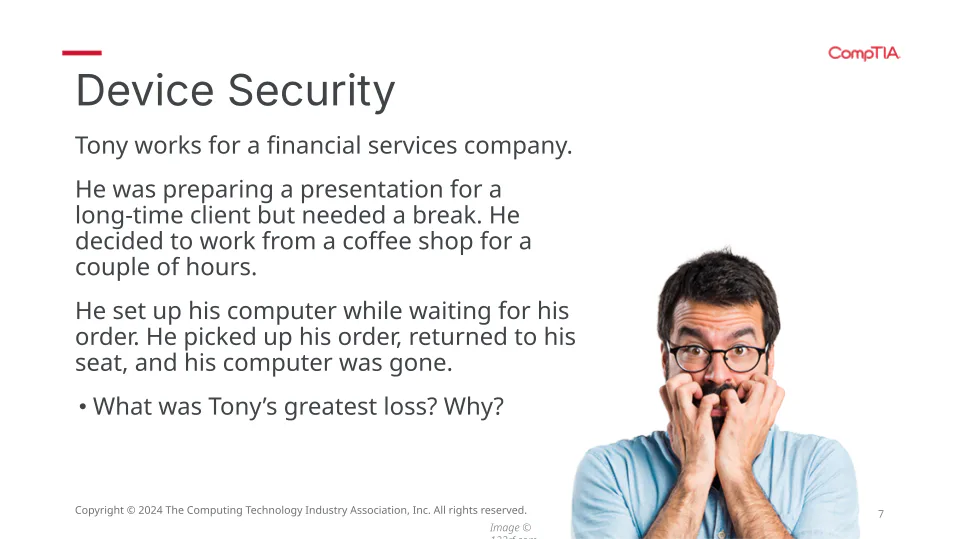
What was Tony’s greatest loss? Why?
31
Match
Match the authentication method
answers to security questions
tokens
fingerprint
something you know
something you have
something you are
something you know
something you have
something you are
32

33
you know | you have | you are |
|---|---|---|
PINs | mobile phones | facial recognition |
answers to security questions | security tokens | iris scan |
passwords | passkey | finger print |

34
Match
Match the authentication method
pins
mobile phone
facial recognition
something you know
something you have
something you are
something you know
something you have
something you are
35
Multiple Choice
A password + a security code sent via a text or email is an example of
36
Open Ended
What multi-factor authorization system would you suggest for employees at a school?
37

Determining what rights individual users should have when accessing a particular resource
Enforcing those rights
Authorization
38
Multiple Select
A teacher shares a doc to students on the classroom; Students should have authorization to do what?
Read a document
Make a copy of a document
Edit the document
Delete the document
39
Multiple Select
A teacher shares a doc to their fellow teacher and asks for suggestions; the other teacher should be able to:
Read a document
Make a copy of a document
Edit the document
Delete the document
40
Multiple Select
Administration asks a teacher to change the ownership of a document to another teacher; as a result the other teacher will be able to:
Read a document
Make a copy of a document
Edit the document
Delete the document
41
Open Ended
What is the benefit of limiting access to data?
42
Dropdown
43

44
Open Ended

Do you agree with these permissions? Why or why not?
45
Think
How are accounting (in cybersecurity) and doorbell cameras similar?
Both are used to monitor and record activity and provide actionable insights.
46

process of documenting user activities on the system
Accounting
47
How you logged in
What time you logged in
Which programs you worked on and when
Which websites you visited while browsing the web
When you logged out
Accounting
48
Are there other ways to track user activity?
Location tracking
Global positioning system (GPS)
Geofencing
Tracks assets by drawing a line their location
If an asset, like a computer, moves outside the line, it could mean the item was stolen.
The IT department gets a notification when something moves.
Accounting
49

50
Multiple Choice
On a Windows machine, what applet lets you see user activity on the machine?
51
That's it! 4.1 is now done...click next
52
Poll
Rate this lesson
Just right
Too easy
Too hard
53
Word Cloud
Type one word or phrase you found important from the lesson
Show answer
Auto Play
Slide 1 / 53
SLIDE
Similar Resources on Wayground

48 questions
PERSONAL, POSSESSIVE PRONOUNS & POSSESSIVE ADJECTIVE
Presentation
•
10th Grade
45 questions
Biomes of the world
Presentation
•
10th Grade
46 questions
Transcription and Translation
Presentation
•
9th Grade
49 questions
Unit 7_PHS Lecture
Presentation
•
10th Grade
43 questions
Biogeochemical Cycles Lesson
Presentation
•
10th Grade
49 questions
Cell Membrane and Transport
Presentation
•
10th Grade
50 questions
Unit 3 Ocean Wonders Lesson A
Presentation
•
10th Grade
47 questions
Life in the Earth System
Presentation
•
9th Grade
Popular Resources on Wayground
6 questions
Secondary Safety Quiz
Presentation
•
9th - 12th Grade
10 questions
MyPath Diagnostic Overview
Presentation
•
6th - 8th Grade
20 questions
Lab Safety Quiz

Quiz
•
6th Grade
21 questions
Continents and Oceans
Quiz
•
6th Grade
20 questions
Adding and Subtracting Decimals
Quiz
•
5th Grade
20 questions
Parts of Speech
Quiz
•
5th Grade
16 questions
Subject & Predicate
Quiz
•
5th Grade
21 questions
Lab Safety
Quiz
•
10th Grade
Discover more resources for Information Technology (IT)
6 questions
Secondary Safety Quiz
Presentation
•
9th - 12th Grade
21 questions
Lab Safety
Quiz
•
10th Grade
10 questions
Fact Check Ice Breaker: Two truths and a lie
Quiz
•
5th - 12th Grade
20 questions
Bloom Day School Community Quiz
Quiz
•
10th Grade
20 questions
Characteristics of Life
Quiz
•
9th - 10th Grade
9 questions
Scientific method

Interactive video
•
9th - 12th Grade
10 questions
Lab Safety Essentials
Interactive video
•
6th - 10th Grade
20 questions
Flinn Lab Safety Quiz
Quiz
•
9th - 12th Grade